Setup · 5 min read ·
Hermes Agent: desktop app and install guide
Hermes Agent has a desktop app on Mac and Windows and a one-line install on Linux. How to set it up with Nous Portal or another provider, from its own docs.
Is there a Hermes Agent desktop app?
Yes: Nous Research makes Hermes Desktop, a graphical app for Apple-silicon Macs and Windows, and on Linux you install the Hermes Agent CLI with one command. Hermes Agent itself is free and open source under the MIT license; you pay for the model, through Nous Portal or another provider.
Facts below come from the Hermes Agent site, its docs and its GitHub repository, checked on October 24, 2026. Hermes ships often, so check the docs before you rely on a flag.
What is Hermes Agent?
An agent from Nous Research that its README calls “the self-improving AI agent”. Its docs say it is “not a coding copilot tethered to an IDE or a chatbot wrapper around a single API”: you talk to it in the terminal or from Telegram, Discord, Slack, WhatsApp, Signal or email while it works on your computer or a cloud VM, with skills, memory, tools and MCP servers.
It works as a coding agent too. hermes -w starts it in an isolated git worktree for parallel work, hermes -z takes a single prompt and prints only the final answer, for scripts, and --yolo skips its approval prompts for dangerous commands, so keep that one for throwaway environments (CLI reference).
How do you install Hermes Desktop?
Download it from the Hermes Agent site. Its download section lists macOS 12 or later and Windows 10 or 11, and the installation page adds that the macOS package is for Apple silicon only and that the Windows Desktop package is MSIX, installed from an .appinstaller file. The platform page says that MSIX package needs Windows 11 22H2 or later.
There is no Linux desktop download: on Linux you use the CLI. Desktop can also connect to Hermes running on another machine, from Settings → Gateways.
How do you install the Hermes Agent CLI?
With one command, from the installation page. On Linux, macOS or WSL2:
curl -fsSL https://hermes-agent.nousresearch.com/install.sh | bash
In PowerShell on native Windows:
iex (irm https://hermes-agent.nousresearch.com/install.ps1)
The installer brings its own pinned Python 3.14, Node.js, npm, ripgrep and FFmpeg, and by default a Chromium for browsing and a computer-use tool, which --skip-browser and --skip-computer-use leave out (-SkipBrowser and -SkipComputerUse on Windows). On Linux and macOS you need Git, curl and tar first; on Windows it can fetch Git for you. The code goes in ~/.hermes/hermes-agent/, the hermes launcher in ~/.local/bin/, and your data in ~/.hermes/; on Windows all three live under %LOCALAPPDATA%\hermes\.
Then reload your shell and run hermes. If something is missing, hermes doctor says what and how to fix it. Two limits from the installation and platform pages: Intel Macs are not a supported platform, and installs through Homebrew, PyPI or the AUR are unsupported.
How do you update Hermes, and what about Docker or Android?
For a script install, run hermes update: it moves to the latest stable release, or the channel you picked, and reinstalls dependencies. --check previews the update and --backup snapshots your Hermes folder first (CLI reference). If settings seem missing afterwards, the installation page says to run hermes config check, then hermes config migrate. Hermes Desktop, Docker, Nix and Termux installs update through their own package mechanism instead.
Docker is a supported route on x86_64 and aarch64, though a Docker install doesn’t support hermes update. Android works through Termux on aarch64 devices: a prerelease package from a signed APT repository, installed with pkg install hermes-agent, which Nous Research maintains on a best-effort basis (platform support).
How do you set up a model: Nous Portal or another provider?
Hermes calls a model provider rather than running a model itself. The quickest route is Nous Portal, Nous Research’s subscription gateway: hermes setup --portal logs you in through OAuth, sets Nous as the provider and lets you pick a model, and hermes portal is the short form of hermes auth add nous --type oauth (Nous Portal page).
For any other provider, run hermes model, which adds providers, sets up API keys and runs OAuth flows. The docs name OpenRouter, OpenAI and “any endpoint”, and hermes auth handles OAuth for Codex, Nous and Anthropic (CLI reference). hermes usage shows your account’s rate-limit windows without opening a session.
Nous Portal’s plans, from the Hermes Agent site as of October 24, 2026: Free costs nothing and runs free models only; Plus is $20 a month and comes with $22 of Nous Portal credits each month; Super is $100 with $110; and Nous Portal’s Ultra is $200 with $220. The site adds that model providers and optional hosted services have their own pricing.
Which way of running Hermes fits you?
Mostly a question of platform. The table is from the Hermes pages above and SwarmPane’s own release notes.
| Way | Mac | Windows | Linux | Best for |
|---|---|---|---|---|
| Hermes Desktop | Apple silicon | Windows 10 or 11; the MSIX package needs 11 22H2 or later | No desktop download | A window for Hermes on its own |
| The CLI | Apple silicon | Native, or in WSL2 | x86_64 and aarch64 | The terminal, scripts, worktrees and the messaging gateway |
| A SwarmPane pane | Apple silicon, as Hermes doesn’t support Intel Macs | Windows 10 and 11, x64 | Not yet | Hermes beside Claude Code, Codex and other agents, in one window |
Run Hermes beside your other agents in SwarmPane
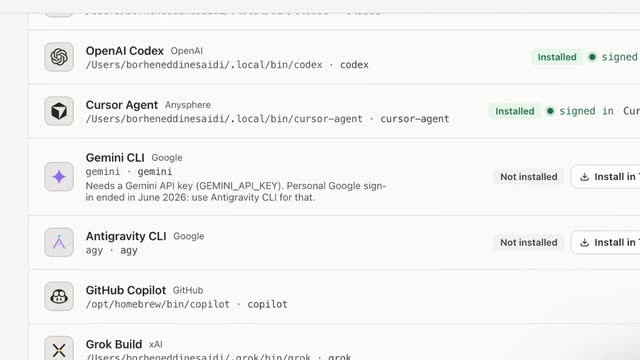
From version 1.3.13, released October 23, 2026, SwarmPane opens Hermes Agent in a pane like Claude Code or Codex: it finds hermes on your computer, or shows its install command in Settings → Agents. Sign in to Nous Portal with hermes portal, or pick any provider with hermes model. Settings → Usage then shows your Nous Portal credits, which SwarmPane gets by asking Hermes’s own code; it never reads Hermes’s sign-in (changelog).
In the grid, Hermes sits next to your other agents, each pane with the status its CLI reports, and it can work in its own worktree. Devin and Hermes Agent need SwarmPane 1.3.13, out now on Mac and Windows; Linux follows shortly. Nous Research bills your Nous Portal plan; SwarmPane is Starter at $17 a month, Pro at $29 or Ultra at $50. Start with a 7-day trial for $1 and cancel before it ends if it is not for you.